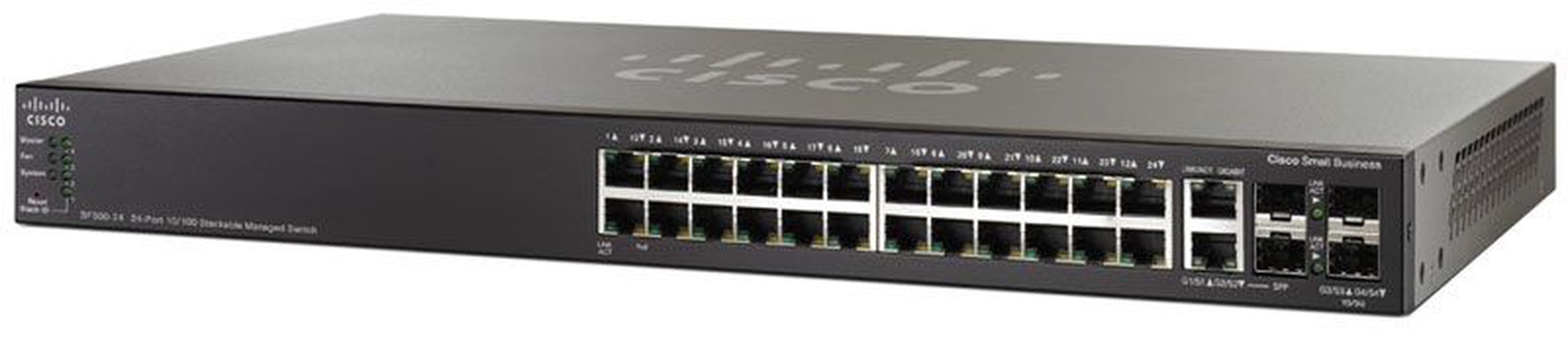
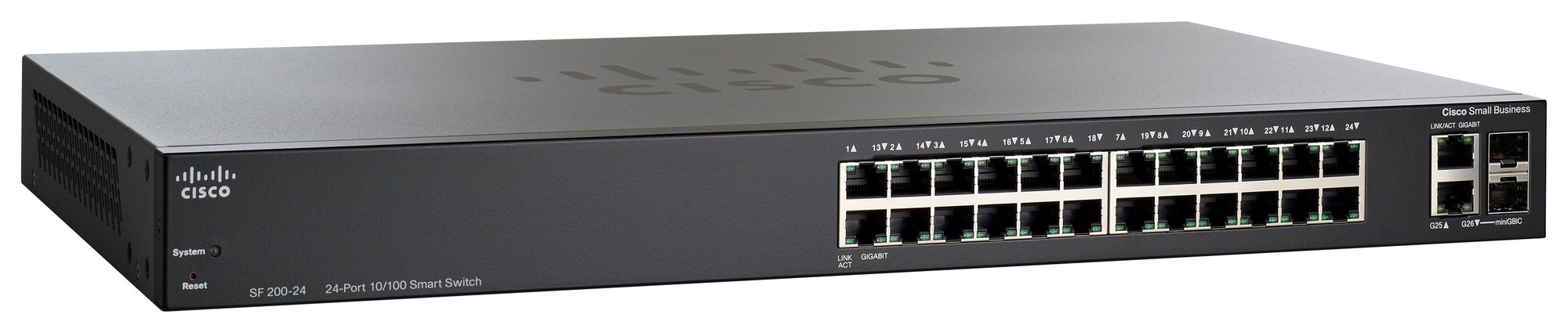
Cisco SF200-24P
Modelio aprašymas anglų kalba: Build a Powerful, Easy-to-Use Basic Business Network at an Affordable PriceThe
key to succeeding in todays competitive business environment is
investing resources wisely knowing how to separate the essential from
the extraneous and get the most value for your dollars. As the backbone
of your business and productivity applications, the small business
network clearly falls into the essential category. But that doesnt
mean you need the most advanced feature set on the market.
With
Cisco® 200 Series Switches, you can achieve business-class network
security and performance without paying for advanced network management
features that you will not need. When you need a reliable solution to
share network resources and connect computers, printers, and servers,
but low cost is a top priority, Cisco 200 Series Switches provide the
ideal solution.
Cisco 200 Series SwitchesCisco
200 Series Switches are a series of affordable smart switches that
combine powerful network performance and reliability with the essential
network management features you need for a basic business network. These
expandable Fast Ethernet or Gigabit Ethernet switches provide basic
management, security, and quality-of-service (QoS) features beyond those
of an unmanaged or consumer-grade switch, at a lower cost than managed
switches. And with an easy-to-use web user interface and the Cisco
Discovery Protocol, you can deploy and configure a rock-solid business
network in minutes.
Business ApplicationsWhether
you need basic high-speed connectivity for your computers and servers
or a comprehensive voice, data, and wireless technology solution, Cisco
200 Series switches can meet your business needs. Possible deployment
scenarios include:
● High-speed desktop connectivity. Cisco 200
Series switches can quickly and securely connect employees working in
small offices with one another and with all of the servers, printers,
and other devices they use. High performance and reliable connectivity
help speed file transfers and data processing, improve network uptime,
and keep your employees connected and productive.
● Secure
wireless connectivity. Cisco 200 Series switches work with Cisco and
third-party wireless solutions to extend the reach of your network.
Employees can work productively from conference rooms and common areas,
collaborate in any office, and access business applications from
wherever they are. Power over Ethernet (PoE) enables the switch to send
power over the network cable to power wireless access points and
simplifies the wireless deployment. Gigabit Ethernet speed helps ensure
that your employees have the bandwidth and performance they need to make
the most of mobile productivity. And with embedded security, your
employees can work with confidence, knowing that only authorized users
can access the network and network applications.
● Unified
communications. The Cisco 200 Series provides QoS features to enable you
to prioritize delaysensitive traffic in your network and let you
converge all of your communications solutions such as IP telephony and
video surveillance over a single Ethernet network. Cisco offers a
complete portfolio of IP telephony and other unified communications
products designed for small businesses, and Cisco 200 Series switches
have been rigorously tested to help ensure easy integration and full
compatibility with these and other vendor products
Features and BenefitsCisco
200 Series Switches provide all of the features you need to create a
basic business-class network at an affordable price. These features
include:
● Easy configuration and management: Cisco 200 Series
switches are designed to be easy to deploy and use by small businesses
or the partners that serve them. Simple-to-use web-based interfaces
reduce the time it takes to deploy, manage, and troubleshoot your
network. Key features include:
◦ Cisco Discovery Protocol simplifies setup by discovering all connected Cisco devices and allowing them
to share information
◦ Cisco FindIT Network Discovery Utility works through a simple toolbar on the users web browser to
discover Cisco devices on the network and display basic information, such as serial numbers and IP
addresses, to aid in the configuration and speed the deployment of Cisco Small Business products. For
more information, and to download the utility, visit www.cisco.com/go/sbtoolbar.
●
Performance and reliability: Cisco 200 Series switches have been tested
to deliver the high availability and performance you would expect from a
Cisco switch and help you prevent costly downtime. The switches speed
file transfer times, improve slow and sluggish networks, keep your vital
business applications available, and help your employees respond more
quickly to customers and each other. With a network based on Cisco 200
Series switches, you can address all of your business communication and
connectivity needs and reduce the total cost of ownership of your
technology infrastructure.
● PoE: Cisco 200 Series switches are
available with PoE on both Fast Ethernet and Gigabit Ethernet models.
This capability simplifies the deployment of IP telephony, wireless,
video surveillance, and other solutions by allowing you to send data and
power to network endpoints over the same network cable. With no need
for separate power supplies or outlets for IP phones, IP cameras, or
wireless access points, you can speed up deployment and installation and
take advantage of advanced communications technologies quickly, and at a
lower cost.
● Network security: Cisco 200 Series switches
provide basic security and network management features you need to
maintain a level of security for your business, keep unauthorized users
off the network, and protect your business data. The switches provide
integrated network security to reduce the risk of a security breach,
with IEEE 802.1X port security to control access to your network. Data
Sheet © 2010 Cisco and/or its affiliates. All rights reserved.This
document is Cisco Public Information. Page 3 of 10
● IP telephony
support: Cisco 200 Series switches include QoS features to prioritize
delay-sensitive services such as voice and video, simplify unified
communications deployments, and help ensure consistent network
performance for all services. For example, Auto Voice VLAN capabilities
let you plug any IP phone (including third-party phones) into your IP
telephony network and receive an immediate dial tone. The switch
automatically configures the device with the right VLAN and QoS
parameters to prioritize voice traffic.
● IPv6 support: Internet
service providers worldwide are moving to the latest version of
Internet Protocol to accommodate the growing number of network devices.
Cisco 200 Series switches provide native support for IPv6 alongside
traditional IPv4. That means you can take full advantage of IPv6-enabled
operating systems
and applications in the future, without having to upgrade your network equipment.
● An energy-efficient solution: Cisco 200 Series switches are designed to be eco-friendly without
compromising performance. They help conserve energy by optimizing power use, which helps protect the
environment and lowers your energy costs. Power-saving features include:
◦ Automatic power down on Gigabit ports when a link is not active
◦ Embedded intelligence to adjust power based on cable length on Gigabit Ethernet models
◦ Fanless design in most models, which reduces power consumption, increases reliability, and provides
quieter operation
●
Additional Gigabit Ethernet ports: The Cisco 200 Series provides more
ports per switch than other switches in the market, giving you more
flexibility to connect and empower your business. Gigabit Ethernet
models feature 26- and 50-port switches, versus traditional devices that
offer 20 or 44 ports with 4 shared ports. The Cisco 200 Series also
offers mini Gigabit Interface Converter (mini-GBIC) expansion slots that
give you the option to add fiber optic or Gigabit Ethernet uplink
connectivity to the switch. With the ability to increase the
connectivity range of the switches, you have more flexibility to design
your network around your unique business environment, and to easily
connect switches on different floors or across the business.
● Peace of mind and investment protection: Cisco 200 Series Switches offer the reliable performance,
investment
protection, and peace of mind you expect from a Cisco switch. When you
invest in the Cisco 200 Series, you gain the benefit of:
◦ Cisco limited lifetime warranty
◦
Cisco Small Business Investment Protection Program, which lets you
upgrade your Cisco 200 Series switch to another Cisco Small Business or
Cisco Catalyst® switch in the future and receive credit for the value of
the switch (available only in the United States and Canada)
◦ Rigorous testing to help ensure easy integration and compatibility with other Cisco networking and
communications products, including the complete Cisco Small Business portfolio
● World-class service and support: Your time is valuable, especially when you have a problem that is
affecting your business. Thats why Cisco 200 Series switches are supported by the Cisco Small Business
Support
Center, a dedicated resource for small business customers and networks.
The Cisco Small Business Support Center connects you directly with a
technician who has earned the Cisco CCNA®
certification, who can
give you the expert help you need right away. You also have access to
extensive technical and product information through the Cisco Small
Business Support Community. Visit www.cisco.com/go/smallbizsupport.
●
Multiple language options: The Cisco 200 Series is available in seven
languages: English, French, German, Italian, Spanish, Japanese, and
simplified Chinese. All product documentation and most user interfaces
are translated, giving you the ability to select your preferred
language.
PerformanceLayer 2 Switching- Spanning Tree Protocol (STP)
- Standard
802.1d STP support Fast convergence using 802.1w (Rapid Spanning Tree
[RSTP]), enabled by default Port grouping Support for IEEE 802.3ad Link
Aggregation
Control Protocol (LACP)Support for IEEE 802.3ad Link Aggregation Control Protocol (LACP)
- Up to 4 groups
- Up to 4 ports per group with 16 candidate ports for each (dynamic) 802.3ad link aggregation
VLAN- Support for up to 128 VLANs simultaneously (out of 4096 VLAN IDs). Port-based and 802.1Q tag-based VLANs
Voice VLAN - Voice traffic is automatically assigned to a voice-specific VLAN and treated with appropriate levels of QoS
Internet Group Management Protocol (IGMP) versions 1 and 2 snooping- IGMP limits bandwidth-intensive multicast traffic to only the requesters; supports 256 multicast groups
Head-of-line (HOL) blockingSecurityIEEE 802.1X(Authenticator role)- 802.1X: RADIUS authentication and accounting, MD5 hash
- Supports time-based 802.1X
- Dynamic VLAN assignment
Port security- Locks MAC addresses to ports, and limits the number of learned MAC addresses
Storm control - Broadcast, multicast, and unknown unicast
Quality of ServicePriority levels Scheduling - Strict priority and weighted round-robin (WRR)
- Queue assignment based on differentiated services code point (DSCP) and class of service (802.1p/CoS)
Class of service - Port
based, 802.1p VLAN priority based, IPv4/v6 IP precedence/type of
service (ToS)/DSCP based, DifferentiatedServices (DiffServ)
Rate limiting - Ingress policer, per VLAN and per port
Standards- IEEE 802.3 10BASE-T Ethernet
- IEEE 802.3u 100BASE-TX Fast Ethernet
- IEEE 802.3ab 1000BASE-T Gigabit Ethernet
- IEEE 802.3ad LACP
- IEEE 802.3z Gigabit Ethernet
- IEEE 802.3x Flow Control
- IEEE 802.1D (STP)
- IEEE 802.1Q/p VLAN
- IEEE 802.1w RSTP
- IEEE 802.1X Port Access Authentication
- IEEE 802.3af
RFC
768 / RFC 783 / RFC 791 / RFC 792 / RFC 793 / RFC 813 / RFC 879 / RFC
896 / RFC 826 / RFC 854 / RFC 855 / RFC 856 / RFC 858 / RFC 894 / RFC
919 / RFC 922 / RFC 920 / RFC 950 / RFC 951 / RFC 1042 / RFC 1071 / RFC
1123 / RFC 1141 / RFC 1155 / RFC 1350 / RFC 1533 / RFC 1541 / RFC 1542 /
RFC 1624 / RFC 1700 / RFC 1867 / RFC 2030 / RFC 2616 / RFC 2131 / RFC
2132 / RFC 3164 / RFC 3411 / RFC 3412 / RFC 3413 / RFC 3414 / RFC 3415 /
RFC 2576 / RFC 4330 / RFC 1213 / RFC 1215 / RFC 1286 / RFC 1442 / RFC
1451 / RFC 1493 / RFC 1573 / RFC 1643 / RFC 1757 / RFC 1907 / RFC 2011 /
RFC 2012 / RFC 2013 / RFC 2233 / RFC 2618 / RFC 2665 / RFC 2666 / RFC
2674 / RFC 2737 / RFC 2819 / RFC 2863 / RFC 1157 / RFC 1493 / RFC 1215 /
RFC 3416
IPv6 - IPv6 host mode
- IPv6 over Ethernet
- Dual IPv6/IPv4 stack
- IPv6 neighbor and router discovery (ND)
- IPv6 stateless address auto-configuration
- Path maximum transmission unit (MTU) discovery
- Duplicate address detection (DAD)
- Internet Control Message Protocol (ICMP) version 6
- IPv6 over IPv4 network with Intra-Site Automatic Tunnel Addressing Protocol (ISATAP) support
IPv6 QoS - Prioritize IPv6 packets in hardware
Multicast Listener Discovery (MLD) snooping- Deliver IPv6 multicast packets only to the required receivers
IPv6 applications - Web, ping, Simple Network Time Protocol (SNTP), Trivial File Transfer Protocol (TFTP), RADIUS, syslog, DNS client
IPv6 RFCs supported- RFC 2463: ICMP version 6
- RFC 3513: IPv6 address architecture
- RFC 4291: IPv6 addressing architecture
- RFC 2460: IPv6 specification
- RFC 2461: Neighbor discovery for IPv6
- RFC 2462: IPv6 stateless address auto-configuration
- RFC 1981: Path maximum transmission unit (MTU) discovery
- RFC 4007: IPv6 scoped address architecture
- RFC 3484: Default address selection mechanism
- RFC 4214: ISATAP tunneling
- RFC 4293: MIB IPv6: Textual conventions and general group
- RFC 3595: Textual conventions for IPv6 flow label
ManagementWeb user interface - Built-in
switch configuration utility for easy browser-based device
configuration (HTTP). Supports configuration, system dashboard, system
maintenance, and monitoring
Remote
Monitoring (RMON) Embedded RMON software agent supports one RMON group
(statistics) for enhanced traffic management, monitoring, and analysisIPv4 and IPv6 dual stack - Coexistence of both protocol stacks to ease migration
Firmware upgrade - Web browser upgrade (HTTP) and TFTP
Port mirroring - Traffic
on a port can be mirrored to another port for analysis with a network
analyzer or RMON probe. Up to 4 source ports can be mirrored to one
destination port. A single session is supported.
VLAN mirroring - Traffic
from a VLAN can be mirrored to a port for analysis with a network
analyzer or RMON probe. Up to 4 source VLANs can be mirrored to one
destination port. A single session is supported.
DHCP (Options 66 and 67) - Dynamic
Host Configuration Protocol (DHCP) options facilitate tighter control
from a central point (DHCP server) to obtain IP address,
auto-configuration (with configuration file download)
Text-editable config files - Config files can be edited with a text editor and downloaded to another switch, facilitating easier mass deployment
Smartports - Simplified configuration of QoS and security capabilities (available April 2011)
Cloud services - Support for FindIT Network Discovery Utility
- Localization Localization of GUI and documentation into multiple languages
Other management - HTTP, RADIUS, port mirroring, TFTP upgrade, DHCP client, BOOTP, SNTP, ping, syslog
Power EfficiencyEnergy Detect - Automatically turns off power on Gigabit Ethernet RJ-45 port when the switch detects a link down
- Active mode is resumed without loss of any packets when the switch detects the link is back up
Cable length detection - Adjusts the signal strength based on the cable length. Reduces the power consumption for cables shorter than 10 m.
GeneralJumbo frames - Frame sizes up to 10 KB supported on 10/100 and Gigabit interfaces (9 KB for SG200-08 and SG200-08P)
MAC table DiscoveryLink Layer Discovery Protocol (LLDP) (802.1ab) with LLDPMED extensions- LLDP
allows the switch to advertise its identification, configuration, and
capabilities to neighboring devices, which store the data in an MIB.
LLDP-MED is an enhancement to LLDP that adds the extensions needed for
IP phones.
Cisco Discovery Protocol - The switch advertises itself using the Cisco Discovery Protocol (available April 2011)
Power over Ethernet (PoE)
- Power - 100W
- Number of Ports - 12